A Simple Folder and Filename System for MP3 Music
Build a portable folder structure with clear track names, consistent versions, and paths that remain useful outside a single music application.

At a glance
A useful music folder system should be predictable, portable, and easy to back up. Keep album structure and track numbers consistent, and use tags for richer library information. Test how your player handles a small sample before moving or renaming a large collection.
In this guide
A useful MP3 folder system makes recordings understandable without depending on one music application. For album-based music, a simple structure is Music, then album artist, then album, with numbered tracks inside. Personal recordings may work better under project and recording date folders.
Choose a small set of rules and apply them consistently. A complicated structure that you cannot maintain is less useful than a clear one that survives transfers, backups, and a change of player.
Give each storage location a role
Use Downloads as a temporary inbox, a dedicated library folder for verified recordings, and a separate location for backups. If you create portable copies from better sources, distinguish the archive from the listening collection.
This prevents a cleanup of temporary downloads from accidentally removing your only retained copy. It also makes it easier to identify which file a player should use when an application has imported or copied media into its own folder.
The Windows download guide shows how browser history, File Explorer, and a player library can refer to different locations. The same distinction applies conceptually across other operating systems.
Use a readable album structure
For a fictional example, place 01 Evening Walk.mp3 inside Music / Example Artist / River Sessions. The artist and album folders provide context, while the numbered filename preserves order in a basic file browser.
Use enough digits for the collection. Two-digit track numbers keep 02 before 10 in straightforward alphabetical sorting. For multiple discs, use separate disc folders or a consistent disc-and-track prefix if your players handle it well.
Avoid unnecessarily long names and deep nesting. A path that works on your computer may be inconvenient on an older portable player. Keep punctuation modest and avoid characters that are reserved or interpreted differently across the systems you use.
Let tags carry richer information
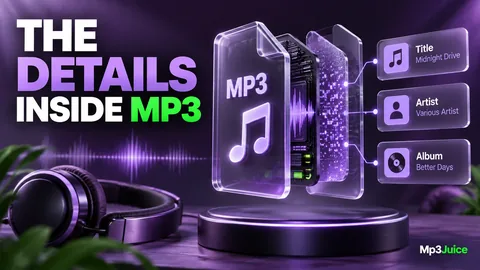
Filenames do not need to hold every credit, genre, date, and technical property. Put accurate descriptive details into metadata where supported. The MP3 tag guide explains title, artist, album artist, and track numbering.
A readable filename remains useful when tags are missing or a player ignores them. Correct tags remain useful when the application groups music independently of folders. Together, they make the library more portable than either layer alone.
Correct tags before generating filenames from them. A batch rename based on an incorrect artist field can move many files into the wrong folder. Preview the proposed changes and test a small group before applying them broadly.
Keep recording versions visible
A studio track, live performance, radio edit, and remix can all share the same core title. Preserve an accurate version label in the title, filename, or album context. Do not erase meaningful distinctions simply to make names shorter.
The duplicate review guide explains why similar titles are not sufficient evidence for deletion. A clear version label prevents a later cleanup from discarding a recording that serves a different purpose.
If you keep two encodes of the same source for different devices, separate them by folder or a consistent delivery label. Avoid a collection of unexplained names such as final, final2, and newfinal, which give little information about quality or intended use.
Plan moves around player references
Some applications reference files at their current paths. Moving those files outside the player can break the library entry. Others manage their own media directories and provide supported tools for consolidation or relocation.
Inspect the player's behavior before reorganizing. Move one test album, update or refresh its references, and confirm playback. Keep the original structure recoverable until the result is verified.
M3U playlists are particularly sensitive to paths. Relative paths can make a library easier to move as a unit, but moving individual tracks can still break them. Rebuild or update affected playlists after a deliberate reorganization.
Make room for personal audio
Not every MP3 belongs to an album. Interviews, lessons, field recordings, and rehearsal notes can use a project-based structure. For example, a project folder can contain recordings named with an unambiguous date and a short description.
Use dates consistently when they are part of the name. A year-month-day order sorts chronologically in ordinary filename views and avoids ambiguity between regional date formats. Keep participant names or sensitive details appropriate to how the folder will be shared.
Retain source information when it matters, but do not turn filenames into long notes. A small project record can hold detailed context while the audio files remain easy to browse.
Apply the system to new downloads
For a recording selected through the Mp3Juice music search, verify the title, version, format, and completeness before moving it into the library. Save only media you are entitled to keep. Correct uncertain tags carefully rather than copying every upload label into an artist field.
Once the file is accepted, place it in the intended folder and test playback from that location. Remove an accidental duplicate only after identifying the retained copy. Include the new material in a library backup.
Review one folder at a time when cleaning an existing collection. The goal is a structure you can explain in a sentence and recover without the original application. Consistent paths, accurate tags, and a clear source-versus-delivery distinction make that possible.